
New ArtFlow Pro features for artists and galleries: November 2026
Every new ArtFlow Pro feature from the past month: four free tools including Talk About Your Art, Enhance for your photos, Social Studio with AI writing help, your own online shops, a website in six looks, an Australian art prize calendar and the new app.
Administrator · · 10 min read
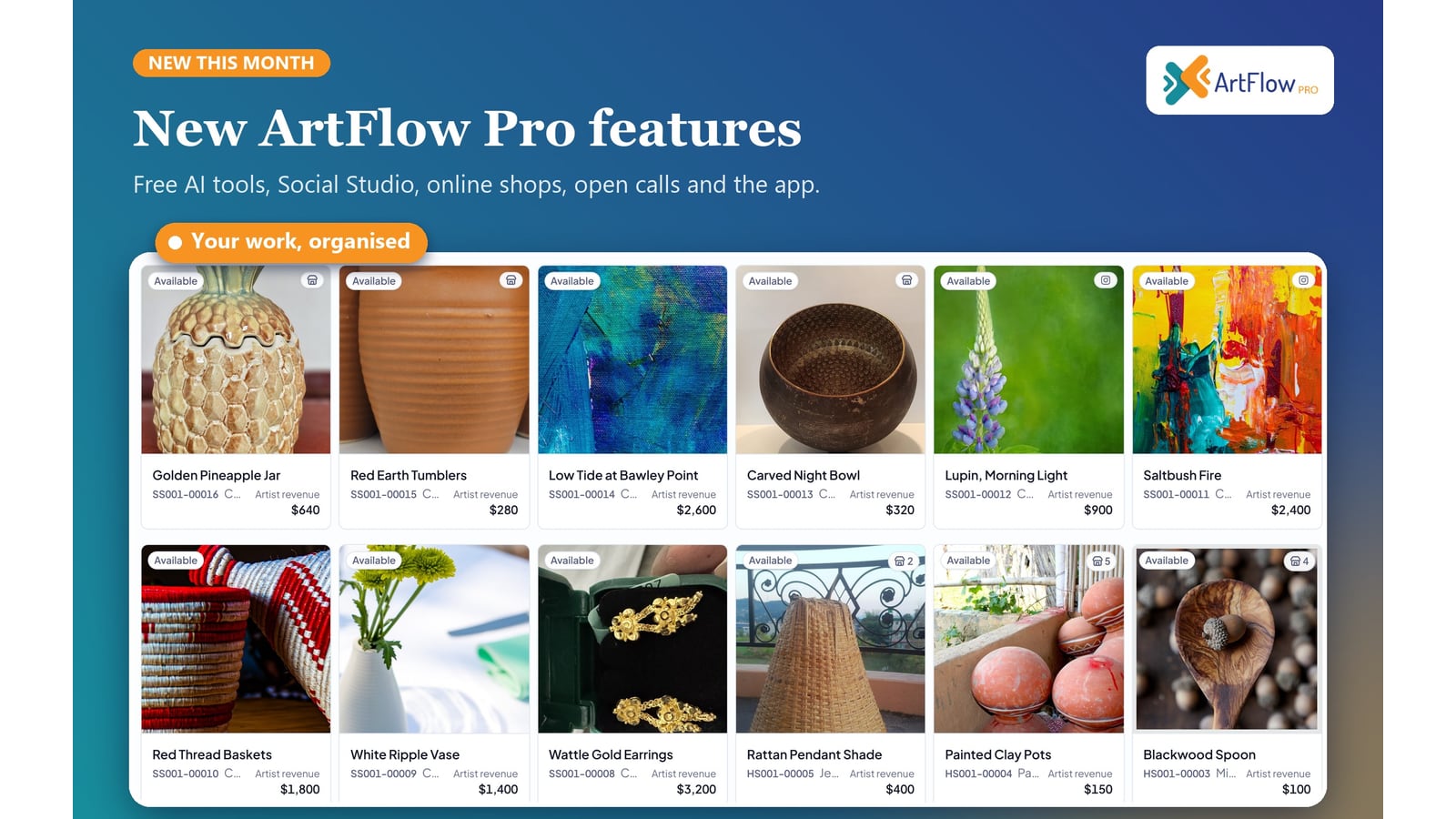
The new ArtFlow Pro features released over the past month are the biggest update yet for Australian artists and galleries. There are four free tools on the front page, a rebuilt Enhance that turns a phone snap into a catalogue image, a Social Studio that writes and posts with you, one place to list work on your own online shops, an Australian art prize calendar, and an app on the App Store and Google Play. This guide walks through every one of the new ArtFlow Pro features, what it does for your practice, and where to find it.
Four free tools: the ArtFlow Pro features anyone can try
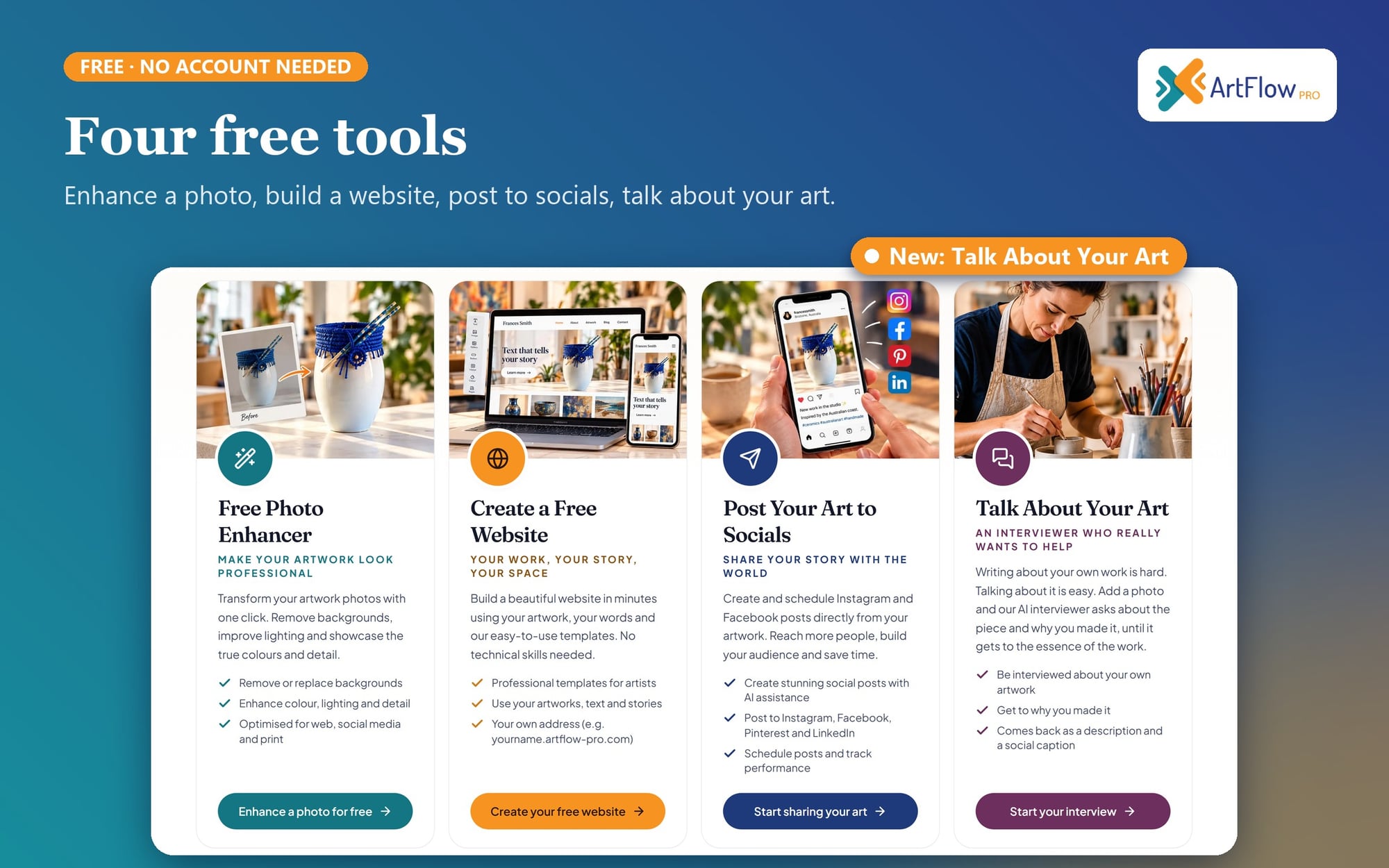
The front page now opens with four tools you can use straight away, with no account. You only need an account when you want to keep what you made, and that is free too.
- Free Photo Enhancer. Straighten a phone photo, fix the light and colour, and remove or replace the background. Two free artworks, nothing published, no account needed.
- Create a Free Website. Build an artist website from your own artworks, words and stories, with professional templates and your own address on artflow-pro.com.
- Post Your Art to Socials. Turn an artwork into a social post, written with AI help.
- Talk About Your Art. The newest of the four, and the most personal.
Talk About Your Art: an interviewer who really wants to help
Writing about your own work is hard. Talking about it is easy. Add a photo of a piece and the AI interviewer asks about it, one easy question at a time: what it is, how you made it, and why you made it. When it has the essence of the work, it writes it up for you as an artwork description and a social caption. You can then see the piece as a shop listing and as an Instagram post, and Improve this photo turns your picture into a clean catalogue image. Start your interview on the front page.
Enhance: from phone photo to catalogue image
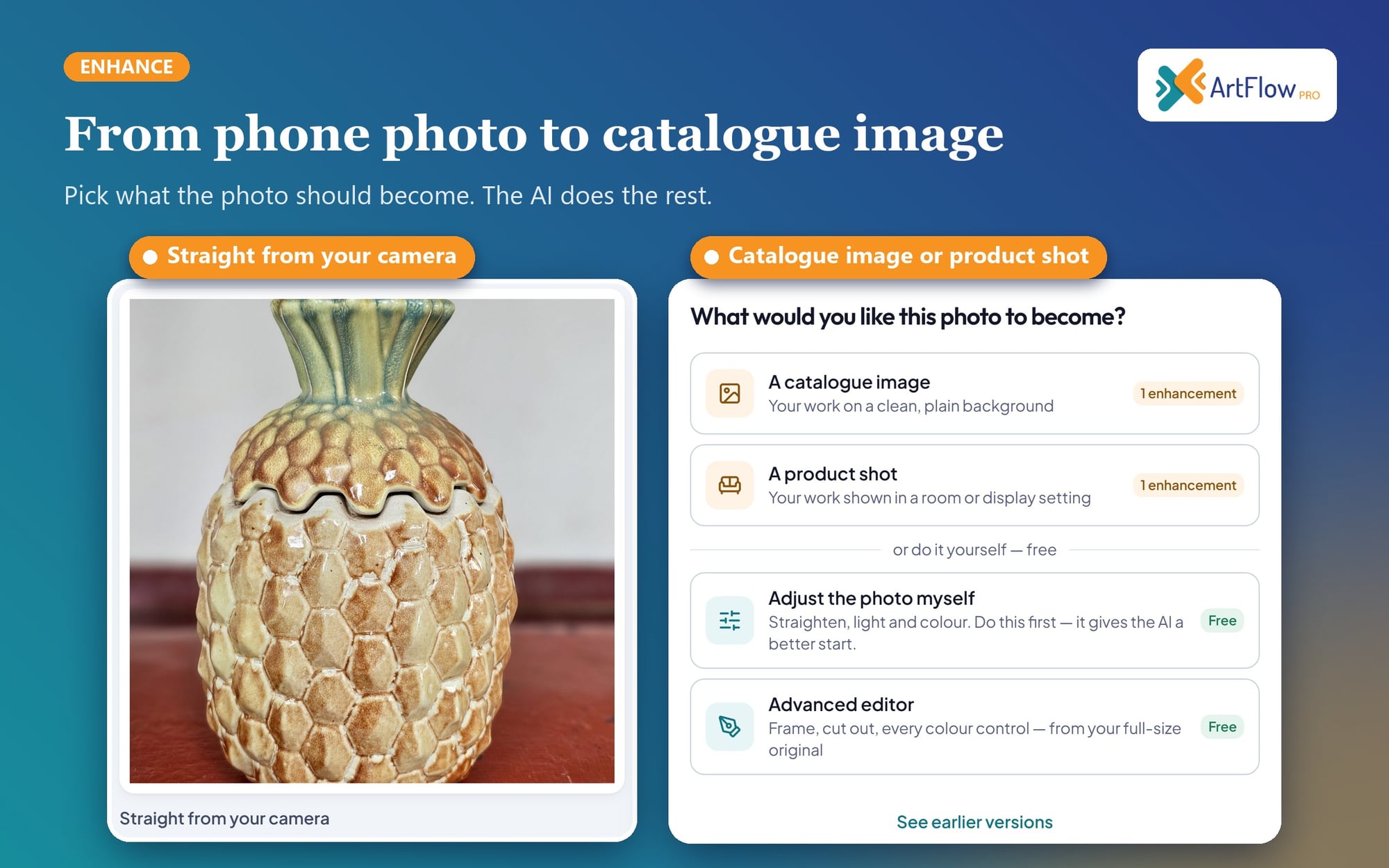
Inside your account, every artwork has an Enhance button, and it has been rebuilt. It starts with one question: what would you like this photo to become?
- A catalogue image: your work on a clean, plain background, ready for a gallery submission, a price list or a prize entry.
- A product shot: your work shown in a room or display setting, the kind of picture that sells a piece online.
- Adjust the photo myself: straighten it and fix the light and colour, free. Doing this first gives the AI a better start.
- Advanced editor: frames, cut-outs and full colour control from your full-size original, free. A mat can now be set to its own width, up to 40% of the artwork.
See earlier versions keeps every version you made, so you can always go back. Enhance, the artwork page and the Advanced editor have also been reworked to fit a phone, an iPad and a desktop screen, so you can enhance a photo wherever you took it.
Social Studio: write it once, post it everywhere
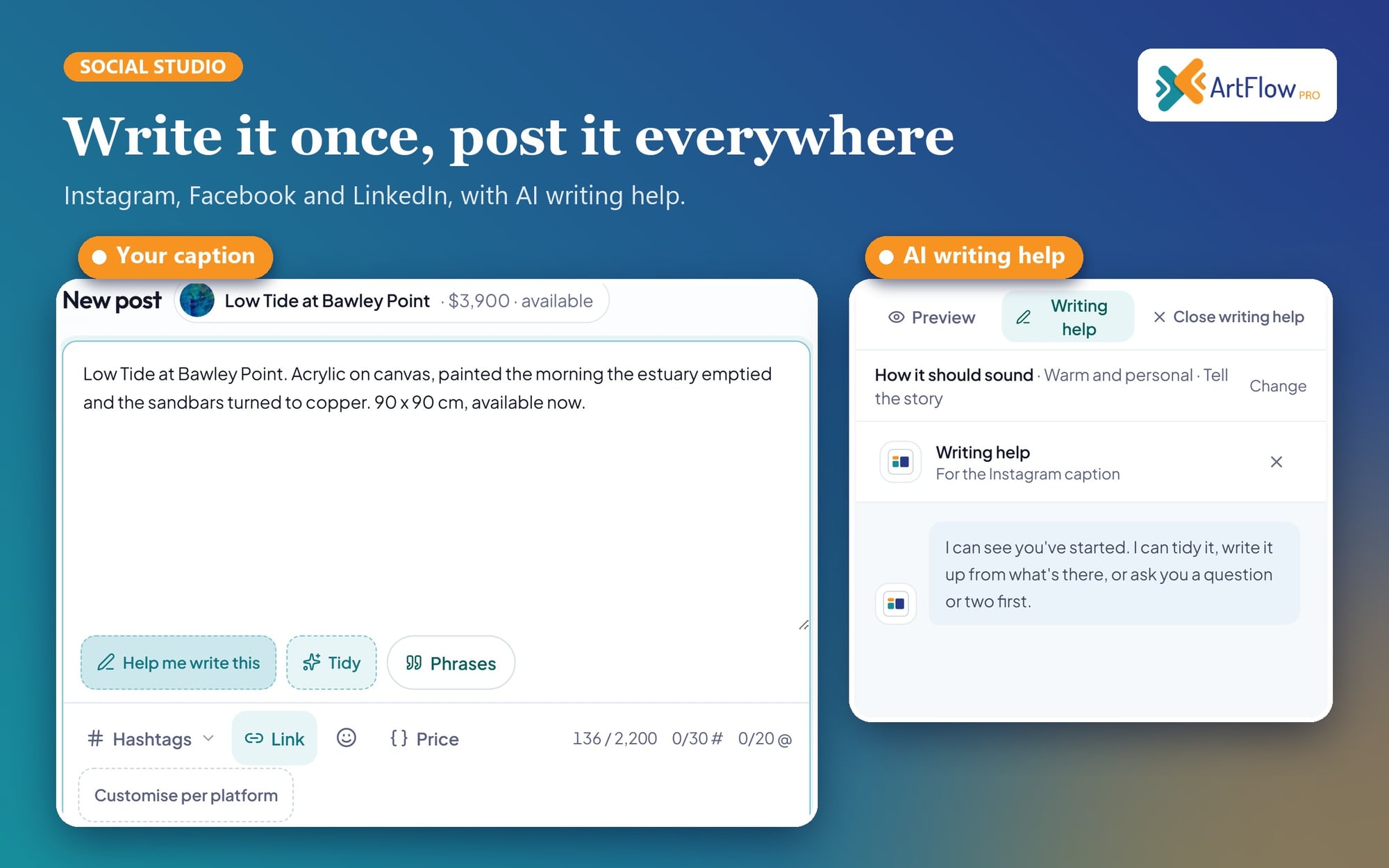
Social Studio is where an artwork becomes a post. Pick a piece, pick your accounts, and write, or let ArtFlow write with you. It is one of the ArtFlow Pro features made for artists who post often.
- Help me write this. A short chat that writes the caption with you. It can tidy what you have already started, write it up from what is there, or ask you a question or two first. You choose how it should sound, for example warm and personal, telling the story of the piece.
- Every network in one place. Instagram, Facebook and LinkedIn, all ticked from one list. Customise per platform when one network needs different words. Pinterest accounts connect too, and posting to Pinterest opens as soon as Pinterest approves ArtFlow's full access.
- The finishing touches. Tidy, phrases, hashtags, a link back to the piece, its price, an emoji, and a badge on the cover picture: New, Sale, Reduced or Sold.
- Post now or schedule it. Choose a time and it goes out by itself. If a network turns a post down, Social Studio says why and lets you try again.
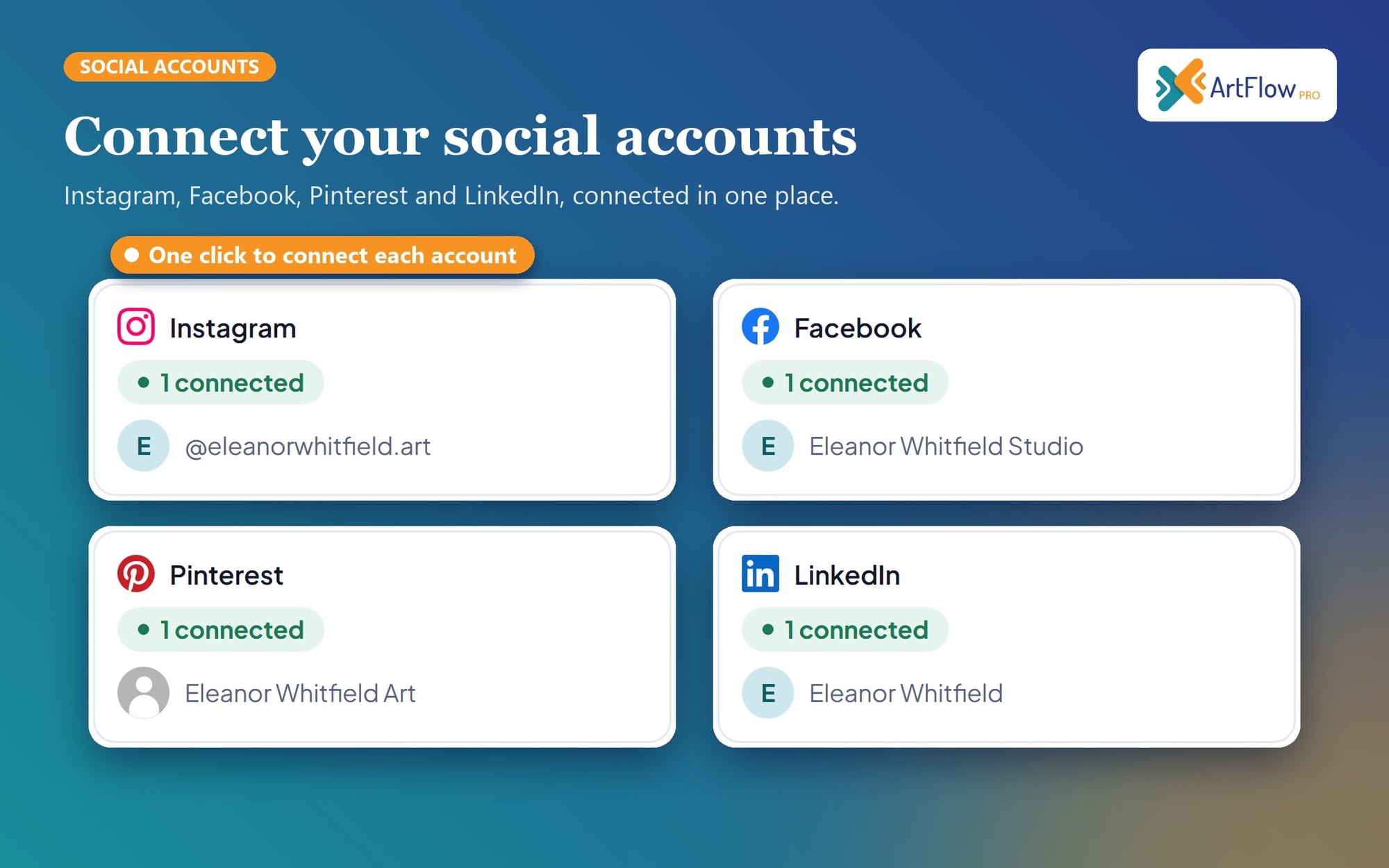
Connecting takes one click per network on Connected accounts: an Instagram Business or Creator account, a Facebook Page you manage, a Pinterest account with the board your pins go to, and a LinkedIn profile. You can add more than one account on each network, and each card shows whether the connection is working and when it needs renewing.
The new Marketing overview shows at a glance what has gone out, what is coming up, anything that needs attention and your drafts, with every connected account in one row. The Library keeps the pictures you upload and the versions you made in the studio, ready to post again. When you connect Facebook, ArtFlow now tells you which of your ticked Pages did not come through, and why. Facebook approved ArtFlow Pro this month, so artists and galleries can connect their Facebook Pages and Instagram accounts and post straight from ArtFlow.
List your work on your own shops
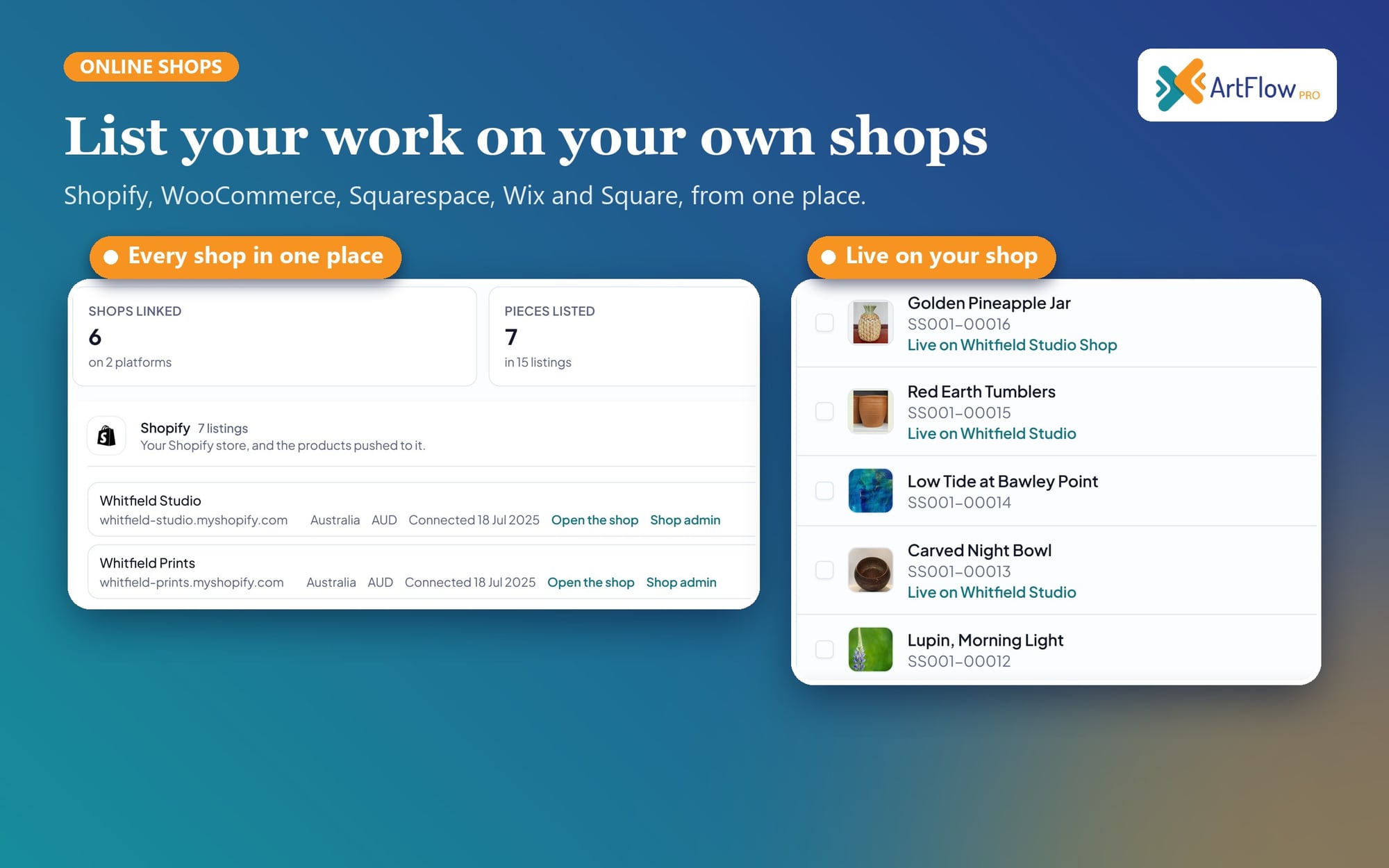
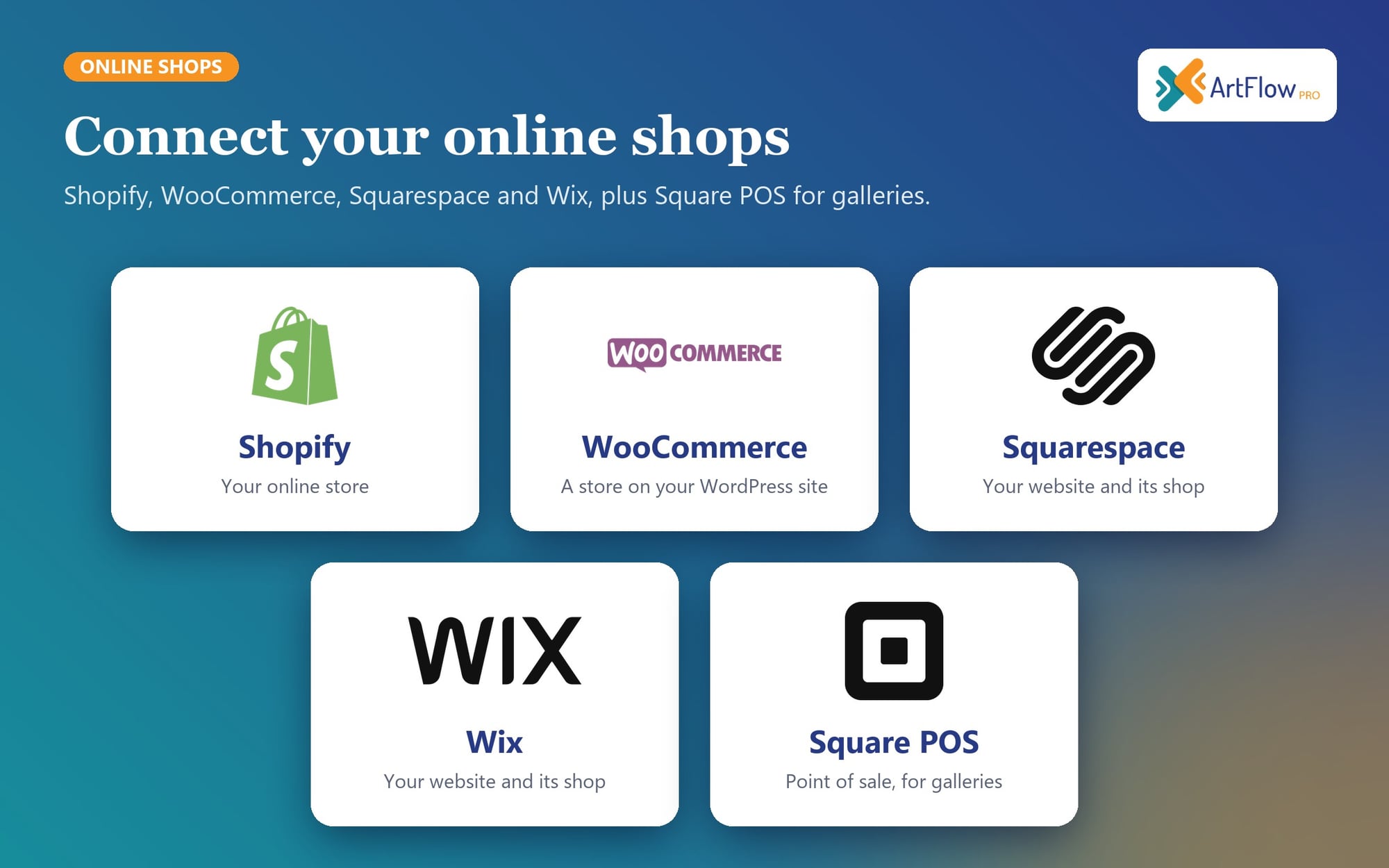
If you sell through your own online shop, ArtFlow Pro now does the listing for you. Connected shops links Shopify, WooCommerce, Squarespace and Wix, each with a page of its own, and galleries get Square POS as a menu item of its own for their counter.
- List many pieces in one go. Choose the pieces, choose the shops, and put them up together.
- Ready for the shops? Before anything is listed, ArtFlow checks that each piece has what a shop needs, such as a price and a picture, so nothing goes up at A$0.00.
- Your prices, your way. Your price is converted into each shop's currency at the day's rate, or switch on Use the prices I set, unconverted.
- See where every piece is live. Each artwork shows the shops it is on and the date it was listed. The page counts your linked shops, the pieces listed, and anything sold that is still up for sale somewhere else.
- Clear checks, honest results. Connecting a shop now tells you plainly what worked and what did not, and disconnecting a shop is safer.
Your own website, in six looks
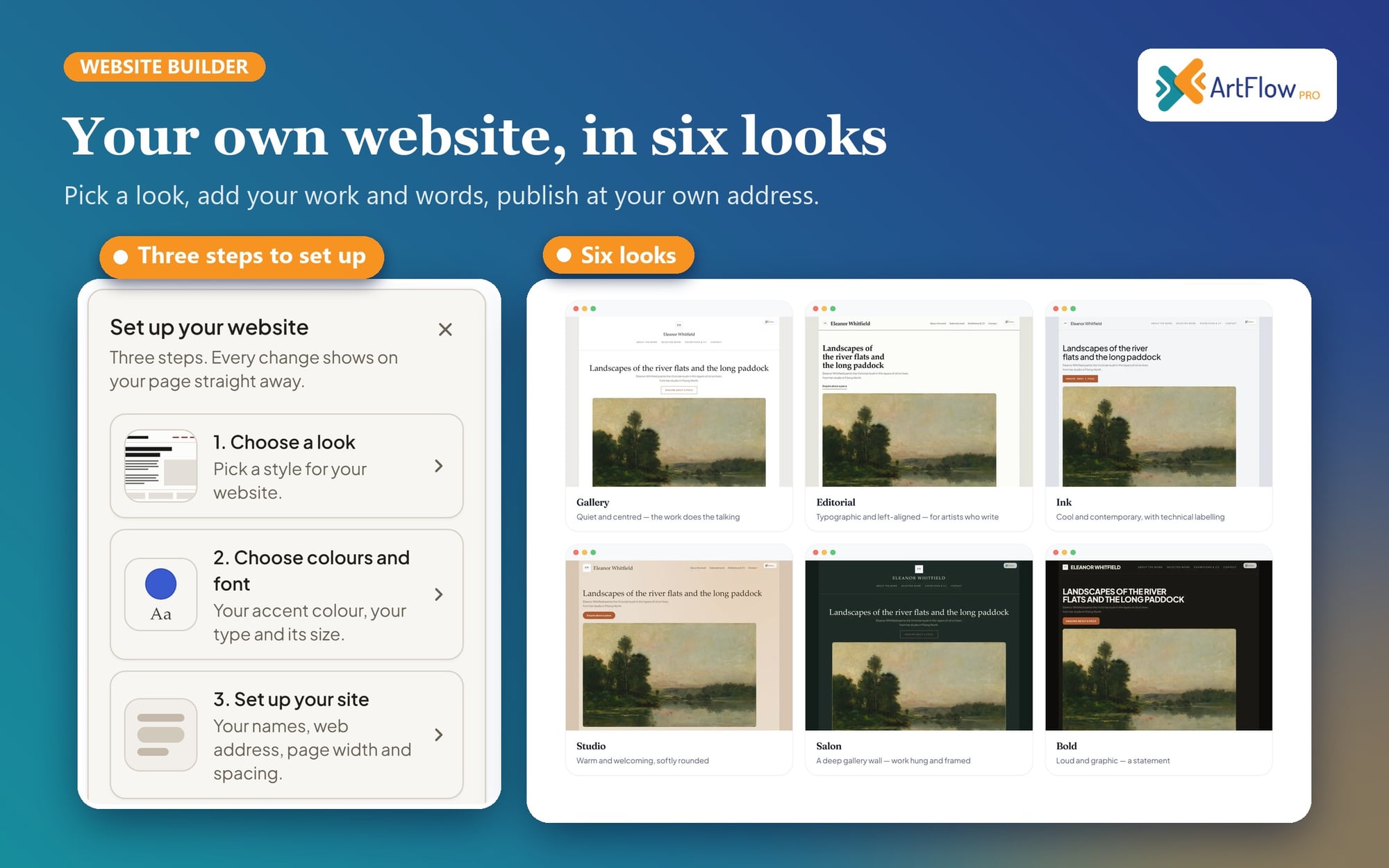
Every artist and gallery on ArtFlow Pro can have a website of their own, built from the artworks, words and CV already in their account. The website builder now walks you through three steps: choose a look, choose your colours and font, and set up your site with your names, your web address, page width and spacing. Every change shows on your page straight away, and a free website is one of the ArtFlow Pro features every artist gets.
- Six looks: Gallery, quiet and centred so the work does the talking; Editorial, typographic for artists who write; Ink, cool and contemporary; Studio, warm and welcoming; Salon, a deep gallery wall; and Bold, loud and graphic. The same work, words and CV sit in each, so you can switch whenever you like and nothing is lost.
- Writing help for your pages: a short chat asks about your work and writes the words for your About page and other sections, in your own voice.
- In your language: the builder, its section names, templates and settings now read in French, German and Spanish as well as English.
- Publish at your own address on artflow-pro.com, and take the site offline again whenever you want.
Open calls and the Australian art prize calendar
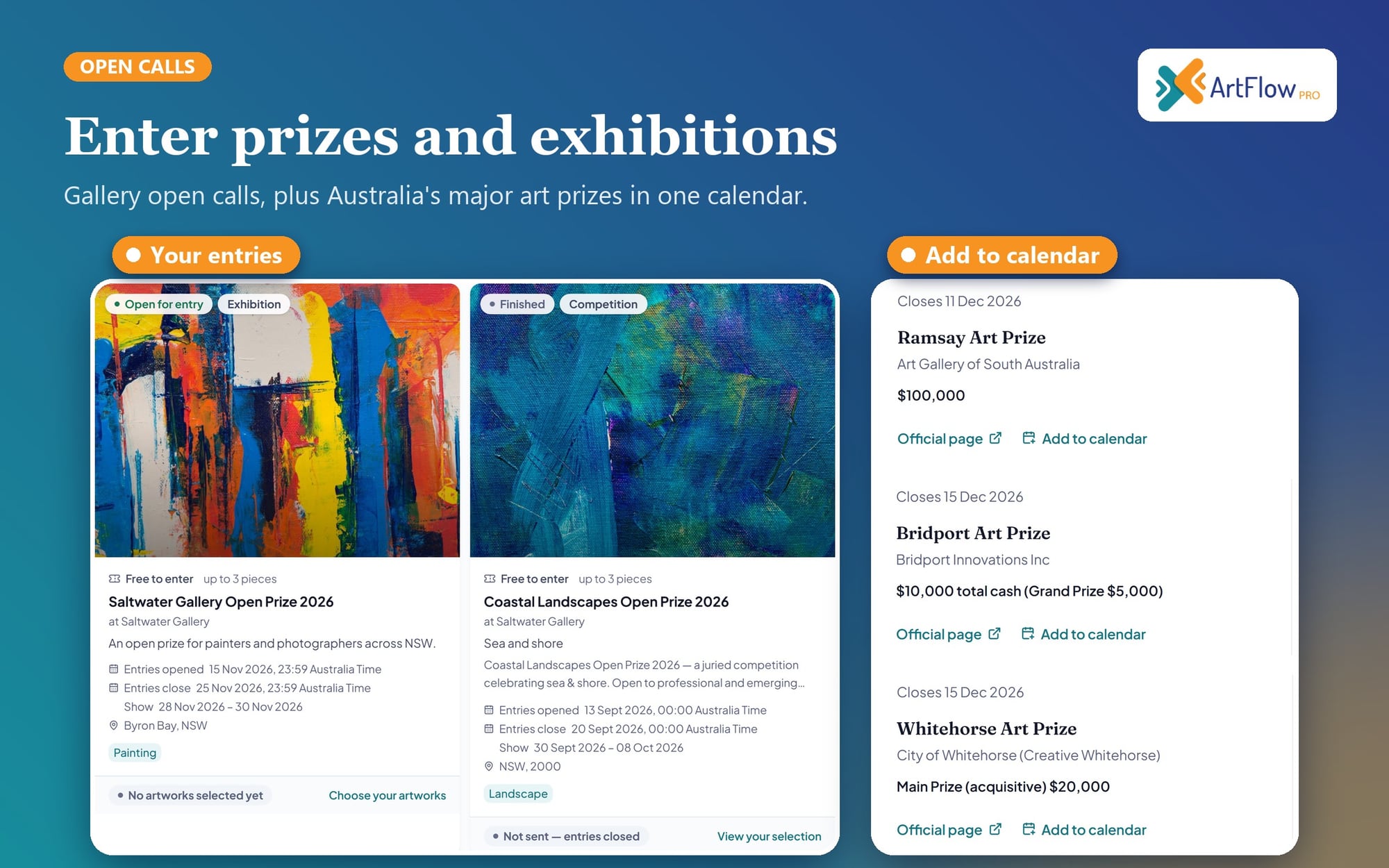
Open calls brings together exhibitions and prizes run by galleries on ArtFlow Pro and the major Australian art prizes run elsewhere, in one calendar. Each prize shows its closing date, the days left, the prize money and a link to the official page. Filter by painting, portraiture, photography, works on paper, ceramics or sculpture, and press Add to calendar so the deadline lands in your own diary. Gallery profile pages now list their exhibitions too.
For galleries that run their own events, the whole event flow has been checked and rebuilt for artists, judges, curators and guests:
- Artists choose their pieces and pay any entry fee as they submit, and Your entries keeps every event they joined.
- Galleries can invite judges and curators by email, even if they have never used ArtFlow. They accept, or sign up in a minute, and find the event under My events.
- When two judges share a name, the picker shows their email so you choose the right person.
- When results are out, the notice takes each artist straight to their entries.
The ArtFlow Pro app is on the App Store and Google Play

The app brings the ArtFlow Pro features you use most to your phone. It is free on iPhone, iPad and Android, and it signs in to the same account as the website. Photograph a new piece and add it to your inventory on the spot, check your inventory, consignments and sales anywhere, message the galleries and artists you work with, and enter open calls. Version 1.4.2 brings a refreshed design, new sign-in and dashboards, the new event flow, the website builder and the artwork enhancer. Download it from the App Store or Google Play.
Every other new ArtFlow Pro feature this month
Joining and signing in
- A faster sign-up for artists and galleries: just your first name and email. We send a link to choose your password.
- A new sign-in screen, with Google sign-in fixed and sign-in made safer.
- Protection against fake sign-ups, so the artist directory stays full of real artists.
- If an invite or welcome email could not be sent, ArtFlow now tells you, so nobody waits for an email that never arrives.
Your artworks
- A Listed publicly switch on every artwork card, so you choose what appears on your public pages without opening each piece.
- Whole pictures everywhere: artwork cards show the full piece, never cropped and never stretched, on every screen.
- On the artwork page the full-screen picture stays on top while you look at it.
- A welcome for new artists on the dashboard, with your website card next to your recent work.
Sharing your work
- Honest share links: a link to a private page says so, galleries can share their pages too, and portfolio pages update the moment you save.
- Your public pages refresh straight after you change your profile or a picture, and profile links keep their tracking tags.
- Website enquiries now always carry the sender's name.
Help when you need it
- The help has been rewritten: more than 200 articles cover every screen, and the full help opens in a large window from the question-mark button.
- The Ask ArtFlow assistant on the front page answers questions about ArtFlow in plain words.
Try the new ArtFlow Pro features on your own work
Everything on the free plan stays free: catalogue your pieces, share them and connect with a gallery. Social Studio, online shops and the other paid ArtFlow Pro features cost A$6.99 a month for artists and A$24.99 a month for galleries, and you can try Pro once for free from your plan screen, with no card needed. See the plans, then join free, add one piece, and see how far it can go.